
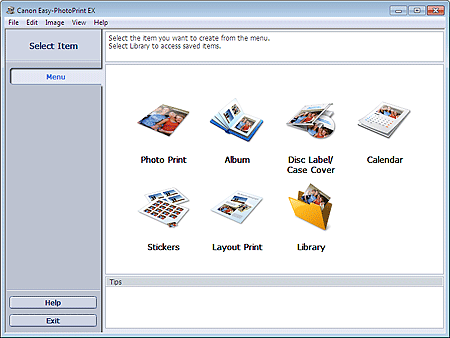
Easy-PhotoPrint EX allows you to create albums, disc labels/case covers, calendars and stickers easily using photos taken with digital cameras.
You can also print borderless photos easily.
 Important
Easy-PhotoPrint EX can only be used with Canon inkjet printers. It does not support some Canon compact photo printers, including SELPHY CP series.
If a printer that supports Easy-PhotoPrint EX is not installed, you cannot print items you create.
If Easy-PhotoPrint EX is installed on a computer that already has Easy-LayoutPrint installed, Easy-LayoutPrint will be replaced by Easy-PhotoPrint EX.
 Note
NoteSee Help of Easy-PhotoPrint EX for descriptions of Easy-PhotoPrint EX screens.
Click Help (or  (Help)) in a screen or dialog box, or select Easy-PhotoPrint EX Help... from the Help menu. Help appears.
Easy-PhotoPrint EX supports "Exif Print." Exif Print is a standard for enhancing the communication between digital cameras and printers.
By connecting to an Exif Print-compliant digital camera, the image data at the time of shooting is used and optimized, yielding extremely high quality prints.
Easy-PhotoPrint EX can be started from other applications.
Refer to the application's manual for details on the procedure for starting.
MP Navigator EX Ver.5.0.0 or later supports the following functions.
- Photo Print
- Album
- Disc Label/Case Cover
MP Navigator EX Ver.1.00 or later supports the following functions.
- Photo Print
- Album
ZoomBrowser EX Ver.6.0 or later supports the following functions.
- Photo Print
- Album
ZoomBrowser EX Ver.5.8 or later supports the following function.
- Album
Digital Photo Professional Ver.3.2 or later supports the following function.
- Photo Print
ImportantEasy-PhotoPrint EX is subject to the following restrictions when started from Digital Photo Professional:
Menu and Open do not appear in the step button area on the left side of the screen.
Images cannot be corrected/enhanced.
Image display order cannot be changed.
Edited images cannot be saved.
Options other than Enable ICC Profile cannot be selected for Color correction for printing on the Advanced tab of the Preferences dialog box. Therefore, you cannot use the Vivid Photo and Photo Noise Reduction functions.
Solution Menu EX Ver.1.0.0 or later supports the following functions.
- Photo Print
- Album
- Disc Label/Case Cover
- Calendar
- Layout Print
- PREMIUM Contents Print
ImportantWhen Easy-PhotoPrint EX is started by selecting a function from Solution Menu EX, Menu does not appear in the step button area on the left side of the screen.
PREMIUM Contents Print is not displayed in Menu of Easy-PhotoPrint EX.
To print premium content, start Easy-PhotoPrint EX from Solution Menu EX.
Keep these points in mind when using PREMIUM Contents Print.
To print with Easy-PhotoPrint EX, you need to download and install the exclusive content.
Refer to "Downloading Premium Content" for details on how to download content.
You may only use the content downloaded or printed for personal purposes.
You may not use the content for commercial purposes.
BMP (.bmp)
JPEG (.jpg, .jpeg)
TIFF (.tif, .tiff)
PICT (.pict, .pct)
Easy-PhotoPrint image files (.epp)
MOV (.mov)
ImportantOnly MOV format videos recorded with Canon digital cameras are supported.
When selecting an image, if there is a TIFF file in the selected folder, the image may not be displayed correctly or Easy-PhotoPrint EX may shut down depending on the TIFF format. In such cases, move the TIFF file to another folder or recreate the file in a different data format, and then select the folder again.
NoteThe thumbnails of files in unsupported formats are displayed as  (Question Mark).
When Easy-PhotoPrint EX is started from Digital Photo Professional, all image files supported by Digital Photo Professional will be displayed.
Easy-PhotoPrint EX Photo Print file (.el6)
Easy-PhotoPrint EX Album file (.el1)
Easy-PhotoPrint EX Stickers file (.el2)
Easy-PhotoPrint EX Calendar file (.el4)
Easy-PhotoPrint EX Layout file (.el5)
Easy-PhotoPrint EX PREMIUM Contents file (.el7)
Easy-PhotoPrint EX Disc Label/Cover file (.el8)
CD-LabelPrint Converted Data (.cldcvt)
