

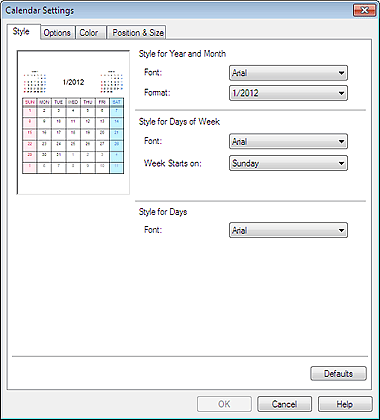
You can customize the calendar display (fonts, lines, colors, position, size, etc.).
Click Settings... in the Page Setup screen of Calendar, or select a calendar in the Edit screen and click  (Setup Calendar) to display the Calendar Settings dialog box.
 Important
The Position & Size tab is displayed only when the Calendar Settings dialog box is displayed from the Edit screen.
 Note
NoteSee Help for details on the Calendar Settings dialog box.
