

When a photo is taken in a dark location such as night scene using digital camera, noise may appear in the image.
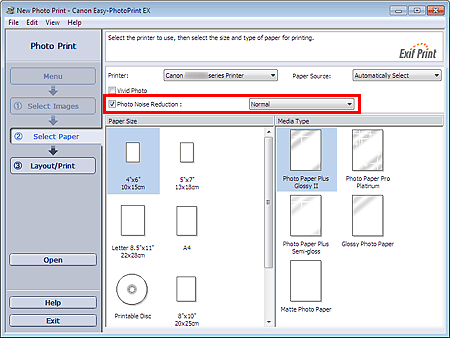
Select the Photo Noise Reduction checkbox in the Select Paper screen to reduce noise in the image and make the printed photos more vivid.
 Important
This function is not available when Enable ICC Profile is selected on the Advanced tab of the Preferences dialog box.
 Note
NoteWhen the noise is severe, change Normal to Strong.
The noise reduction effect applies only to the print result. The original image or preview image will not be affected.
