


You can adjust the position, angle and size of images.
 Important
For PREMIUM Contents Print using premium content images, this function may not be available depending on the selected image.
Select the image of which you want to change the position or size in the Edit screen and click  (Edit Image) or double-click the image.
 Note
NoteThe screen(s) for Album printing is (are) used as example(s) in the following descriptions. The screen(s) may vary depending on what you create.
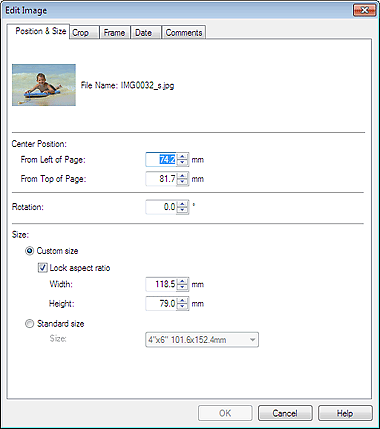
Set the Center Position, Rotation and Size, then click OK.
NoteYou can also change the position and size of an image by dragging it in the Edit screen.
Select an image in the Edit screen, then click  (Free Rotate) and drag a corner of the image to rotate it.
For PREMIUM Contents Print, you cannot use (Free Rotate).
See Help for details on the position and size of images.
