


You can add frames to images.
 Important
You cannot add frames to images in Disc Label/Case Cover, Stickers, Layout Print and PREMIUM Contents Print.
Select the image you want to frame in the Edit screen and click  (Edit Image) or double-click the image.
Click the Frame tab in the Edit Image dialog box.
 Note
NoteThe screen(s) for Album printing is (are) used as example(s) in the following descriptions. The screen(s) may vary depending on what you create.
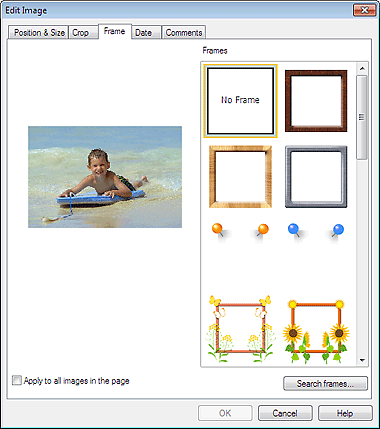
Select the frame you want to use from Frames and click OK.
ImportantYou cannot print dates on framed photos.
NoteSelect the Apply to all images in the page checkbox to add the same frame to all the images on a selected page at one time.
Various frames are available on our website besides those saved in the application.
Click Search frames... to access the Canon website from which you can download additional materials for free.
Internet connection is required to access the website. Internet connection fees apply.
Exit Easy-PhotoPrint EX before installing frames.
Search frames... will be displayed only if Album has been selected.
See Help for details on frames.
