

You can save edited photos. The information of cropping and layout can be saved.
Click Save in the Layout/Print screen.
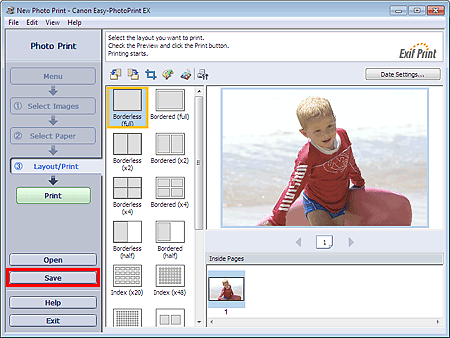
When the Save As dialog box appears, specify the save location and file name, then click Save.
 Important
If you edit a saved file and save it again, the file will be overwritten.
To save a file again with a new name or to a different location, select Save As... from the File menu and save.
 Note
NoteSave will not be displayed in the Select Images or Select Paper screen.
