

You can set holidays to your calendar.
Click Set Holidays... in the Page Setup screen of Calendar, or click  (Setup Period/Holiday) in the Edit screen and click Set Holidays... in the Calendar General Settings dialog box to display the Holiday Settings dialog box.
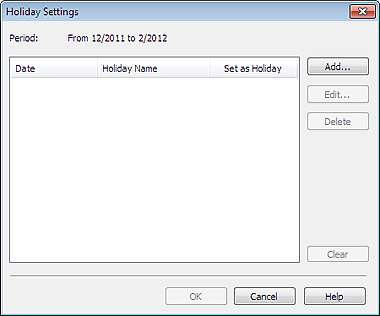
To add a holiday, click Add.... The Add/Edit Holiday dialog box appears. To edit a saved holiday, select it and click Edit....
To delete a holiday, select it and click Delete. To delete all the saved holidays within your calendar period, click Clear.
In the Add/Edit Holiday dialog box that appears by clicking Add... or Edit..., you can specify the name and date of the holiday.
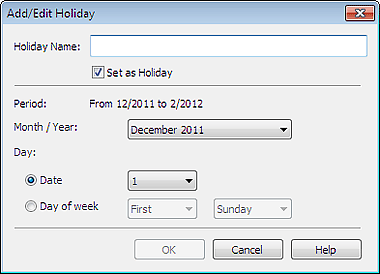
Enter the name in Holiday Name and specify the date.
Select the Set as Holiday checkbox to display that day as a holiday in your calendar.
 Note
NoteSee Help for details on each dialog box.
