Rear View
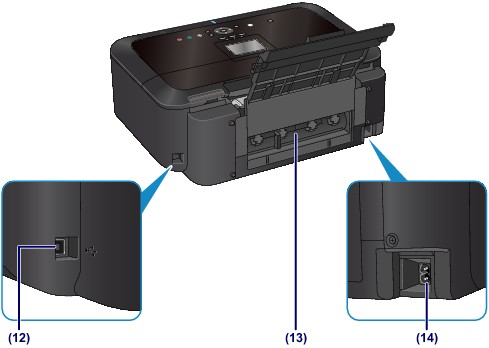
(12) USB port
Plug in the USB cable to connect the machine with a computer.
(13) rear cover
Detach to remove jammed paper.
 Paper Is Jammed inside the Machine at the Transport Unit
(14) power cord connector
Plug in the supplied power cord.
 Important Important
|

