Placing a Printable Disc
To print onto a printable disc, place it on the disc tray supplied with the machine, then insert it into the machine.
This procedure also applies to printing from a computer.
 Important Important
|

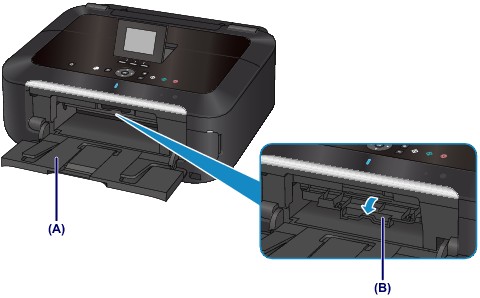
Open the paper output tray (A).
Make sure that the message asking you to load the printable disc is displayed, then open the inner cover (B).
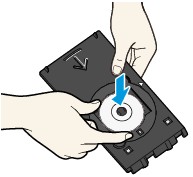
Place the printable disc on the disc tray.
| Important
|
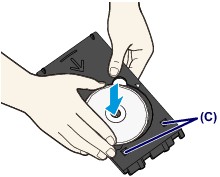
4.72 inches (12 cm) printable disc:
(1) Place the printable disc on the disc tray with the printable surface facing up.
3.15 inches (8 cm) printable disc:
(1) Align the protrusions on both edges of the 3.15 inches (8 cm) disc adapter with indentations on the disc tray.
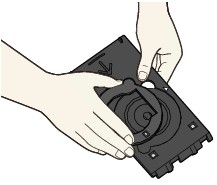
(2) Place the 3.15 inches (8 cm) printable disc on the disc tray with the printing surface facing up.
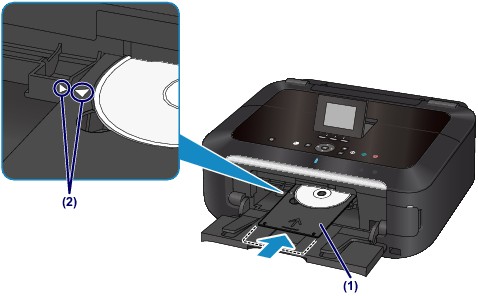
Attach the disc tray to the machine.
 Note Note
|
(1) Place the disc tray on the inner cover.
(2) Insert the disc tray straight until the arrow ( ) on the inner cover is almost aligned with the arrow (
 ) on the disc tray.
| Important
|