The procedure for setting the print quality level is described below.
-
Open the printer driver setup window
-
Select the print quality
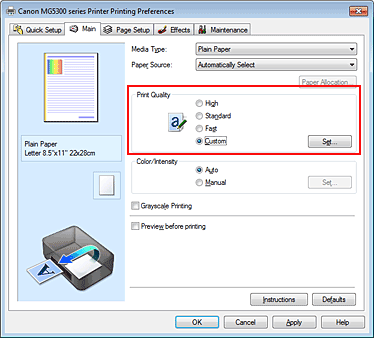
Select Custom for Print Quality on the Main tab, and click Set....
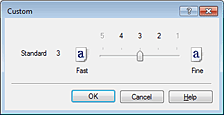
The Custom dialog box opens.
-
Setting the print quality
Drag the slider bar to select the print quality level.
-
Complete the setup
Click OK on the Main tab.
Then when you execute print, the machine prints the document with the selected print quality level.
 Important
-
Depending on the Media Type setting, you may not be able to select certain print quality levels.

