Allows you to set the printer with wired LAN connection.
To display the Wired LAN sheet, click the Wired LAN tab on the Configuration screen.
 Note
Note-
Only when the wired LAN setting of the printer is active, you can select the Wired LAN tab.
Select Wired LAN active in Change wireless/wired under LAN settings on the operation panel to activate the wired LAN setting.

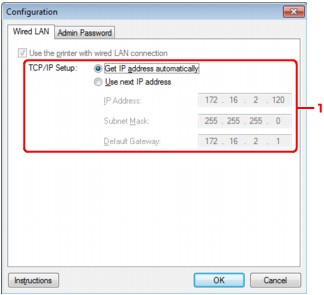
-
TCP/IP Setup:
Sets the IP address of the printer to be used over the LAN. Set a value appropriate for your network environment.
- Get IP address automatically
-
Select this option to use an IP address automatically assigned by a DHCP server. DHCP server functionality must be enabled on your router.
- Use next IP address
-
If no DHCP server functionality is available in your setup where you use the printer or you want to use a particular IP address, select this option to use a fixed IP address.
