
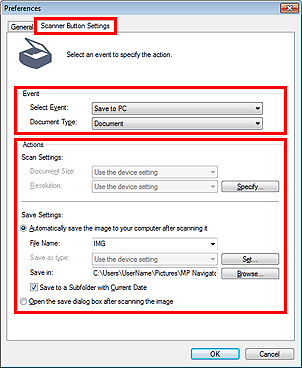
MP Navigator EX enables you to specify how to respond when scanning using the operation panel of the machine.
Start MP Navigator EX.
Click Preferences.
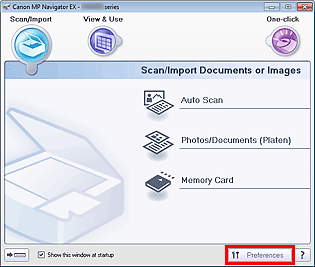
The Preferences dialog box opens.
 Note
NoteThe Preferences dialog box can also be opened by clicking Preferences in the One-click Mode screen.
On the Scanner Button Settings tab, specify Event and Actions.
 Note
NoteSee the section below for details.
Click OK.
The operation will be performed according to the settings when you start scanning using the operation panel of the machine.

