This section describes the procedure to change the settings in the Device settings screen, taking the steps to specify Extended copy amount as an example.
-
Make sure that the machine is turned on.
-
Select
 Setup on the HOME screen.
 -
Select
 Device settings, then press the OK button.
The Device settings screen is displayed.
-
Use the

 button to select the setting item, then press the OK button.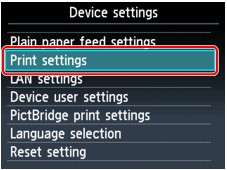
The setting screen for the selected item is displayed.
-
Use the
button to select the menu, then press the OK button.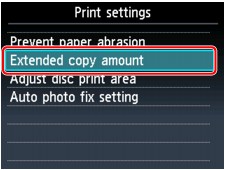
-
Use the
button to select the setting item, then press the OK button.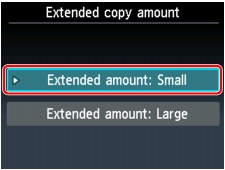

You can select the setting menus below.
 Note
Note-
You can use the machine considering the environment, such as setting 2-sided printing as default or enabling the machine to turn off automatically.
-
You can reduce the operating noise when printing at night.
